01 / Construction
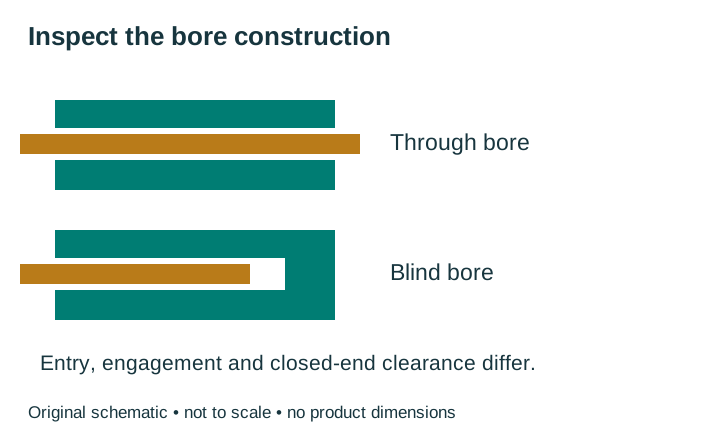
Through bore, blind bore, solid shaft or a kit?
| Construction | Mechanical arrangement | Key selection question |
|---|---|---|
| Through hollow shaft | Machine shaft enters a bore open at both ends | Can the encoder slide on and off? Check engagement and both-side space |
| Blind hollow / hub shaft | Machine shaft enters a closed-end bore | Does the projection match usable depth and permitted end clearance? |
| Solid shaft encoder | Encoder has its own external shaft, coupled to the machine | Does the coupling and mounting envelope suit the installation? |
| Kit / bearingless arrangement | Separate sensing components rely on the host installation | Are centering, gaps, runout and assembly requirements documented? |
Catalog filters may use “hollow” for kits, control knobs and housed industrial encoders. Verify the actual bearing and mounting architecture. Direct mounting can remove a shaft-to-shaft coupling, but it does not remove the need for housing restraint or alignment checks.
For an existing machine, retain the full label and drawing revision. Do not assume a blind-bore candidate replaces a through-bore item because their nominal openings are equal.
02 / Installed geometry
Build a drawing comparison from a common datum
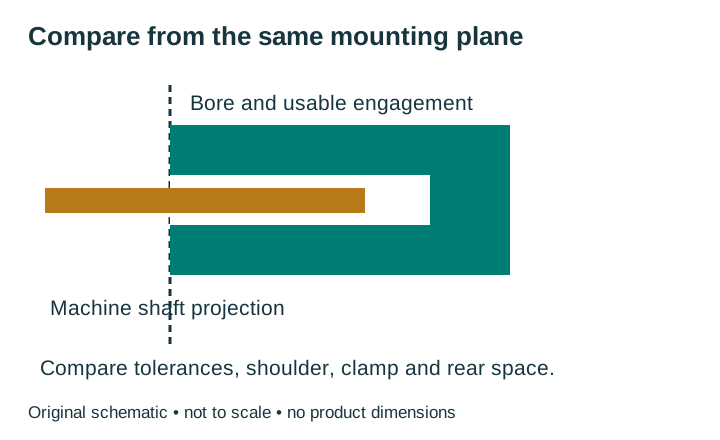
A datum is the reference plane used for the measurement. Use the same shaft-entry or mounting plane on both drawings when comparing axial positions.
| Check | Machine / original | Offered candidate |
|---|---|---|
| Shaft diameter | Units, measured size, tolerance, roundness and surface condition | Bore size and fit requirements; any specified sleeve |
| Axial position | Projection, shoulder, available engagement and movement | Usable bore / engagement, clamp position and permitted clearance |
| Restraint | Existing support, holes, alignment and adjustment range | Specified torque arm / flex mount and hardware |
| Envelope | Available front, rear and radial space; service access | Body, clamp tools, connector, cable bend and removal path |
Do not use overall body length as blind-bore depth. Do not bottom a shaft against a closed end. Obtain the exact engagement and clearance requirements; an unexplained remainder is not an installation allowance.
Check the shaft for burrs or damage. Do not force an encoder onto an unsuitable shaft, enlarge its bore or improvise a sleeve. Use an adapter only when it is specified for the exact offered version. Isolate machine power before inspection.
03 / Unit check
Compare nominal shaft and bore sizes in the same unit
Nominal size comparison
This is a unit and size check, not a shaft-fit verdict.
Enter both positive nominal diameters.
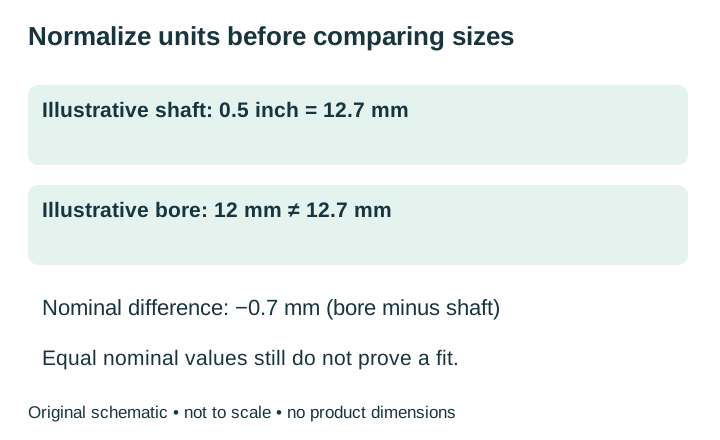
Arithmetic only: convert inches by multiplying by 25.4. Difference = bore − shaft, in mm. A 0.5-inch shaft and 12 mm bore differ by −0.7 mm. A 12.7 mm bore has equal nominal size to that shaft, but tolerances, clamping and the required fit still need review.
Without JavaScript, use the same formula. Enter decimal inches, such as 0.5 for 1/2 inch. The tool displays up to six decimal places. A displayed zero can result from rounding. It does not include measurement uncertainty or a tolerance stack.
04 / Installation load paths
Separate rotor clamping from housing restraint
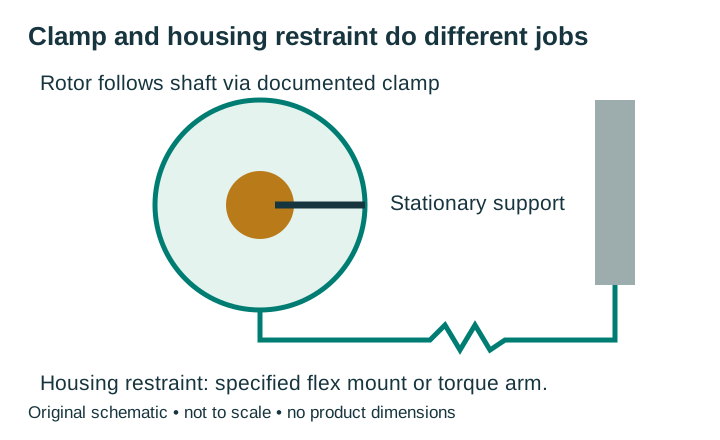
The machine shaft rotates while the encoder housing stays restrained. The clamp or collet secures the rotating assembly to the machine shaft. The torque arm, tether or flex mount holds the housing while allowing the movement permitted by its design. A rigid improvised bracket can impose unintended loads; a loose restraint can allow the housing to move.
Follow the model-specific tightening order and torque. The reviewed EPC guide gives clamp-first then flex-mount attachment for its hollow-bore arrangement; another manufacturer’s general sequence is not a substitute for those instructions. “Tighter” is not automatically better.
Measure runout and alignment using the manufacturer’s method. There is no universal allowable runout or clamp torque for every hollow shaft encoder. The reviewed EPC installation guide explains that shaft runout and misalignment can reduce bearing life and accuracy and add vibration.
05 / Mechanical and electrical limits
Check space, environment and the working point together
- Service access: confirm the slide-on/removal path, shaft end access, clamp-tool access and connector orientation. A through bore does not automatically make an assembled machine accessible.
- Speed and load: compare the exact mechanical speed and allowed loads, including application movement and installation effects.
- Environment: check the actual IP option, sealing, temperature, vibration and exposure. “Hollow shaft” does not establish water resistance or shaft-current isolation.
- Receiver: check supply, output circuit, phases or protocol, polarity, index behavior and receiver limits.
Hollow mounting can be used with incremental or absolute sensing. The mechanical style does not define the data interface. Preserve the manufacturer’s PPR / CPR / bit definitions and the receiver’s decoding mode; equal catalog numbers do not establish equal accuracy.
Use the encoder wiring guide for interface checks and the PPR guide for frequency and decoded counts. This page focuses on selecting an installable construction.
06 / Existing replacement routes
Move from a mounting class to the exact original family
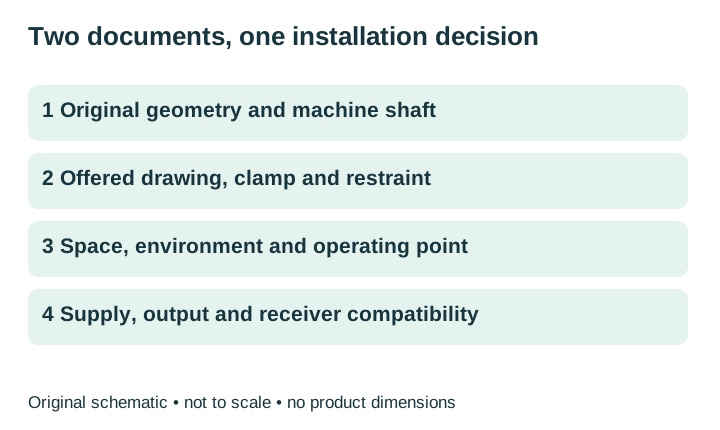
For an installed Autonics E40HB, use the specific blind-bore and insertion guide. For an installed Pepperl+Fuchs RHI58, start with its exact model and obtain the original and offered drawings. These routes do not establish that the same candidate serves all hollow-shaft applications.
Keep a shortlisted pair unapproved if its drawing, clamp, restraint or electrical specification is missing. Availability, price, delivery and warranty require a written quotation. Brand names identify installed equipment and do not imply affiliation.
Request the missing fit evidence07 / Next decision
Request a hollow shaft encoder fit comparison
Provide the complete original model, through / blind construction, shaft size and projection, restraint arrangement and available space if known. Add supply, receiver, speed and quantity. Ask for an exact offered drawing and a written list of matches, differences and unresolved items. Name, email and original model are required to start. Mark unknown dimensions as unknown; request the measurement or drawing needed to resolve them.
Ready to contact us? Copy the prepared request, then open the live web inquiry form and paste the details. Preview sends nothing.
Hollow shaft encoder selection questions
Is a 1/2-inch bore the same as 12 mm?
No. Half an inch is 12.7 mm. Convert units, then check tolerances and the required shaft-to-bore fit.
Does matching the nominal diameter approve installation?
No. Check tolerance, shaft projection, engagement, clamp, restraint, clearance and the full envelope.
Can a through-bore encoder replace a blind-bore encoder?
Only after the exact drawings and operating requirements are compared. Shared nominal bore size does not settle the axial installation.
Do I still need a torque arm or flex mount?
Use the housing restraint specified for the exact encoder. Removing a shaft-to-shaft coupling does not mean the housing can be left unrestrained or rigidly fixed by an improvised bracket.
Are all hollow shaft encoders absolute?
No. Mounting construction and sensing/interface are separate choices. Compare the actual incremental channels or absolute protocol with the receiver.
Sources and maintenance
- Baumer large hollow-shaft category, through and blind construction categories; family marketing limits are not candidate specifications.
- Dynapar hollow-shaft category, geometry distinctions, accessories and mounting overview.
- US Digital hollow-shaft category, bearing construction and model-specific resolution terminology.
- EPC installation and wiring guide, Rev 11/18, physical page 6, mounting/alignment and hollow-bore installation.
- NIST SI Units – Length, exact inch-to-millimeter conversion.
Maintained by EncoderCross. Reviewed 13 October 2026. This guide covers mounting selection; linked family pages cover exact-model replacement checks. Original schematics are selection aids, not product drawings. Recheck documents whenever the original or offered version changes.